ip
Eclipse User Guide
Eclipse is a desktop application for storing tasks. It provides a CLI for you to manage your todos, deadlines and events.
Features
Adding todos
Add a simple todo task with no dates related to it
Example: todo read book
Got it. I've added this task:
  [T][ ] read book
Now you have 4 tasks in the list.
Adding deadlines
Add a deadline task with one due date
Example: deadline return book /by 2019-10-15
Got it. I've added this task:
  [D][ ] return book (by: Oct 15 2019)
Now you have 2 tasks in the list.
Adding events
Add an event task with a start and an end date
Example: event project meeting /from 2019-10-15 /to 2019-10-16
Got it. I've added this task:
  [E][ ] project meeting (from: Oct 15 2019 to: Oct 16 2019)
Now you have 3 tasks in the list.
Marking tasks
Mark the task at the given index as done
Example: mark 3
Nice! I've marked this task as done:
[E][X] project meeting (from: Oct 15 2019 to: Oct 16 2019)
Unmarking tasks
Unmark the task at the given index
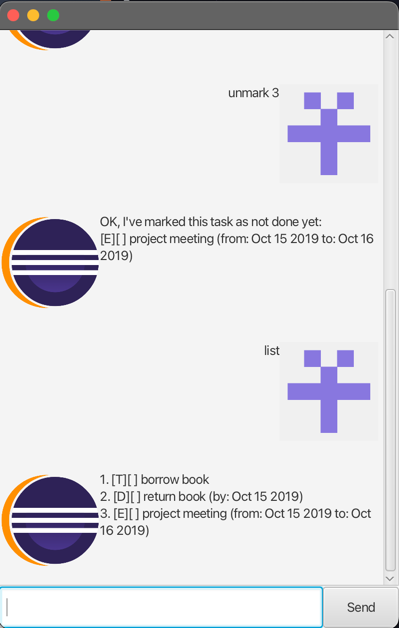
Example: unmark 3
OK, I've marked this task as not done yet:
[E][ ] project meeting (from: Oct 15 2019 to: Oct 16 2019)
Listing tasks
List all the tasks stored
Example: list
Here are the tasks in your list:
1. [T][ ] borrow book
2. [D][ ] return book (by: Oct 15 2019)
3. [E][ ] project meeting (from: Oct 15 2019 to: Oct 16 2019)
Finding tasks
Find the task containing a certain substring
Example: find project meeting
Here are the matching tasks in your list:
3. [E][ ] project meeting (from: Oct 15 2019 to: Oct 16 2019)
Deleting tasks
Delete the task at the given index
Example: delete 3
Noted. I've removed this task:
  [E][ ] project meeting (from: Oct 15 2019 to: Oct 16 2019)
Now you have 2 tasks in the list.
Getting stats
Retrieving the statistics related to the tasks
Example: stats
There are 2 tasks in total